 Nails Keyboard
The bottom row
Why you keep hitting the space bar with long nails
You go for B or N and get a space. Words come out in two pieces. It is the most recognisable long-nail typo, and it has a simple cause.
Why the bottom row is the worst
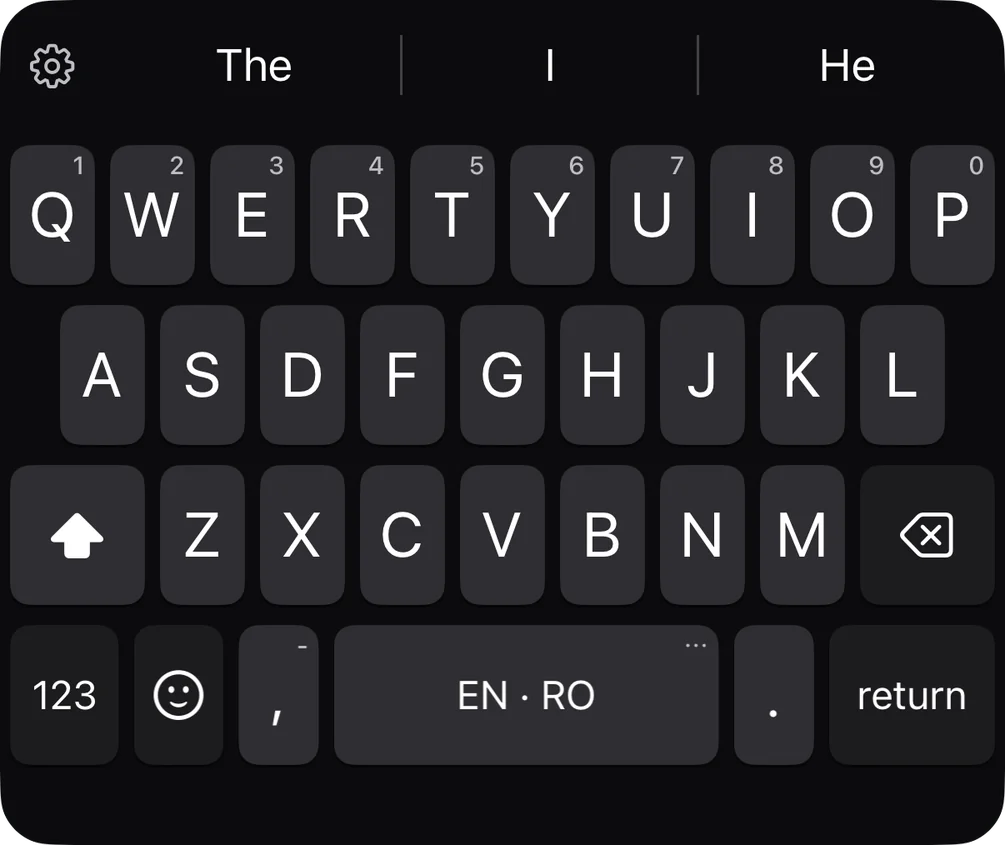
With long nails every touch lands a little lower than you aimed. On the upper rows, lower means another letter, and autocorrect has something to work with. On the bottom row, lower is the space bar. The word is cut in two, and each half looks like a word of its own.
Nail error also grows toward the bottom of the keyboard, so the row that can least afford a miss gets the largest one.
What helps
- Aim at the top edge of Z to M. The bottom row needs the most correction.
- Hold the phone lower. If your thumbs reach down less, they land more squarely.
- Swipe the words that keep breaking. A swipe has no bottom-row taps to miss.
How Nails Keyboard deals with it
It moves every tap back up before it picks a key, so a touch on the top edge of the space bar can count as the letter above it. With Pro's measuring game each row gets its own shift, and the bottom row can get more than the others.
And when a letter does fall onto the space bar, the keyboard looks at the two pieces. If joining them makes the word you were typing, it joins them.
thi k think
Taller keys give the bottom row more room as well: tap the gear on the keyboard and use + beside Key height.