 Nails Keyboard
Languages
Two languages, one keyboard, no switching
If you text in English and Spanish, or English and Romanian, you know the globe key by heart. With long nails, every extra tap is one more chance to miss. Nails Keyboard doesn't make you switch.
How it knows which language you are in
The words you write tell it. Each sentence is read in the language it is written in, so one message can be in English and the next in Spanish with nothing to press in between.
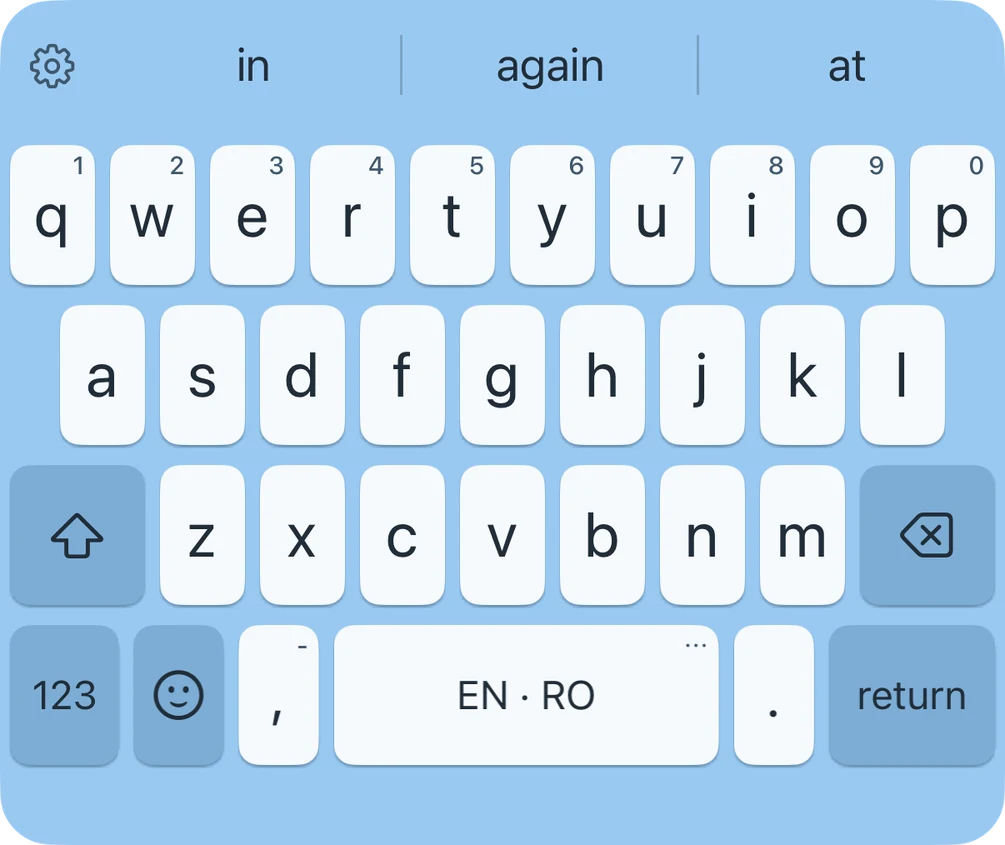
A new message has no words to go by yet, so it starts out in the language named first on the space bar. To choose it yourself, hold the space bar, slide to a language and let go: the keyboard opens in that one from then on, until you pick another.
Accents come back on their own
Type the plain letters and the keyboard puts the accents where they belong. To choose one by hand, touch and hold the letter.
manana mañanamultumesc mulțumesc
Which languages
English, with Spanish, Portuguese (Brazil), Italian, Romanian, French and German beside it. English and up to two others can be on at once. Spanish, Portuguese, Italian, French and German are in Beta. The letters can be laid out as QWERTY, AZERTY or QWERTZ.
Choose your languages in the app under Keyboard Settings → Languages, or tap the gear on the keyboard. Every language is free.
And it is still a keyboard for nails
The tap shift for your nail length and the nail-aware autocorrect work the same in every language.